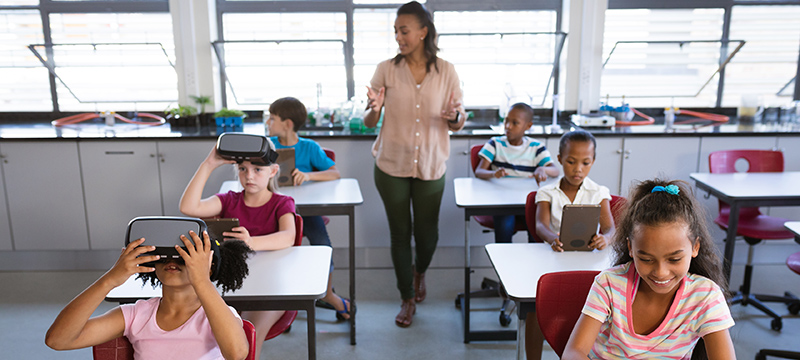
 Teachers do not need technology that creates more classroom management. They need tools that help students get to the right resource quickly, without turning the first ten minutes of a lesson into a troubleshooting session. In increasingly connected classrooms, where tablets, interactive boards, digital learning platforms and even simple classroom sensors are becoming part of the learning environment, that kind of frictionless access matters.
That is why QR codes have become quietly useful in schools. They remove the need for students to type long links, search for the right page, or ask the teacher to repeat an instruction for the fifth time. A scan takes them straight to the resource, making QR codes a simple bridge between physical classroom materials and the digital services that support modern education.
Used thoughtfully, QR codes can support lessons, libraries, homework, parent communication, and learning outside the classroom. They can also help teachers connect printed materials, classroom displays, connected devices and cloud-based content without requiring a complex technical setup. The key is to keep the technology simple and the safeguarding expectations clear.
Faster Access to Lesson Materials
The most basic classroom benefit is speed. A teacher can place a QR code on the board, a worksheet, a station card, or a classroom display. Students scan and land on the video, quiz, reading passage, document, or activity they need.
For teachers building these resources, a simple tool such as a QR code generator can be enough to create codes for worksheets, displays, and take-home materials. In an IoT-enabled school environment, the same approach can also link physical learning spaces to digital dashboards, device instructions, environmental data, or classroom management platforms.
Direct Resource Navigation
QR codes allow students to navigate directly to specific videos, quizzes, or reading passages without the need to type long URLs or search for the correct page manually. This is especially useful when several connected tools are used in the same lesson, from learning apps to interactive displays or shared classroom devices.
Support for Diverse Learners
These tools are particularly beneficial for younger students and mixed-ability groups, as they remove technical barriers like accurate URL typing, ensuring the focus remains on the learning objectives rather than on device handling.
Increased Instructional Time
By simplifying the connection to digital materials, QR codes reduce troubleshooting at the start of a lesson, allowing classes to spend less time on setup and more time on actual work. For schools adopting connected classroom technologies, this matters because the value of digital tools depends on how easily teachers and students can use them during real lessons.
Learning Stations and Independent Work
QR codes fit naturally into station-based learning. Each table or area can have a code that opens the next instruction, audio clip, demonstration, challenge question, or extension task.
In a literacy lesson, one station might open a read-aloud recording. Another might open vocabulary practice. A third might show a short explanation from the teacher. In science, codes can link to safety instructions, experiment videos, observation prompts, or data collected by simple connected sensors used in classroom experiments.
The advantage is not only novelty. It helps students work independently while the teacher supports the pupils who need direct help. Instructions become repeatable without the teacher having to repeat them constantly. In connected learning environments, QR codes can also serve as low-cost access points to the digital layer of the classroom, without requiring students to navigate multiple platforms on their own.
Making Classroom Displays Interactive
Displays often become wallpaper after the first week. QR codes can make them more useful.
A history timeline can link to short source extracts. A book display can link to student reviews. A science wall can link to experiment recaps. A language-learning display can link to pronunciation clips recorded by the teacher.
For subjects that use connected equipment, displays can also link to sensor readings, classroom project logs, or explanations of how a device works. A display about air quality, for example, could point students to a classroom dashboard showing temperature, humidity or CO2 readings, turning a static wall into a practical introduction to IoT data.
This works best when codes are tied to specific, short pieces of content. A two-minute audio explanation is more likely to be used than a long folder of resources. The scan should lead to one clear thing.
Helping Parents Understand the Work
Parents often see the finished worksheet without the context behind it. QR codes can bridge that gap.
Instant Method Explanation
Teachers can provide immediate clarity by linking QR codes to short video demonstrations of specific classroom methods, ensuring parents understand the exact techniques being taught without needing to decipher complex written instructions.
This can reduce confusion, especially when teaching methods have changed since parents were at school. It also gives families a low-friction way to support learning without asking the teacher for repeated clarification.
Reduced Communication Friction
By embedding codes for newsletters and event calendars directly on classroom doors or project sheets, teachers minimize the need for repetitive individual clarifications, streamlining parent-teacher communication through a low-friction digital shortcut.
Enhanced Project Transparency
QR codes allow teachers to share success criteria and the context behind finished worksheets, giving families a transparent view of the learning objectives and grading standards used during class activities. Where schools use connected learning platforms, QR codes can also help parents reach the right portal page or project summary without searching through multiple apps.
Libraries and Reading Motivation
School libraries are a natural home for QR codes. Codes on shelves can lead to librarian recommendations, student book talks, author interviews, or lists of similar books.
A reluctant reader who does not know what to choose can scan a code and hear why another student enjoyed a title. A class studying an author can scan for related interviews or background material. A reading challenge can use codes to reveal prompts or badges.
The goal is discovery. QR codes can make browsing feel more guided without requiring a full library app. They also offer a practical example of how physical assets, such as bookshelves and reading corners, can be connected to digital content in a way that is simple enough for daily use.
Field Trips and Outdoor Learning
Beyond the physical walls of the classroom, QR codes serve as versatile anchors that transform ordinary locations into interactive learning prompts. By strategically placing these digital shortcuts, educators can bridge the gap between theoretical knowledge and real-world environments. For instance, a geography trail can be enhanced with codes that trigger specific map-reading tasks or localized data sets, while a history walk might feature curated audio clips and primary source documents at relevant historical sites to provide immediate context. In a school garden, codes can act as digital plant markers, providing detailed information on care instructions or linking to student-recorded observations and time-lapse footage of plant growth.
This becomes even more relevant when schools experiment with IoT-style learning projects. A garden trail can link to soil moisture readings, a weather station dashboard or student observations collected over time. A science trail can connect physical locations to measurements from low-cost sensors. In these cases, the QR code is not the connected device itself; it is the simple interface that helps students access the data and instructions associated with the physical environment.
One of the primary pedagogical advantages of this approach is the ability to provide layered content that adapts to different educational needs. Because the digital destinations of these codes can be updated or redirected—particularly when using dynamic QR codes—the same physical trail or display can support diverse year groups and evolving topics over multiple terms without requiring the printing of new materials. This flexibility ensures that outdoor learning remains a sustainable and long-term instructional strategy, allowing teachers to refresh challenges or adjust complexity levels to suit the specific progress of their current cohort.
Safety, Privacy and Device Management Come First
Schools need clear rules for classroom QR codes. Every destination should be checked before use. Links should point to approved platforms where possible. Codes used with children should avoid unnecessary tracking, advertising-heavy pages, or public uploads that reveal student information.
This is particularly important as more connected devices and cloud services enter education. A QR code may look harmless, but it can lead to a third-party platform, a data dashboard, a shared folder or a form that collects information. Schools should therefore treat QR code destinations as part of their wider digital safeguarding and device management policies.
Dynamic codes can be useful because they let teachers update or disable a destination if something changes. However, they also require ownership: someone needs to know where each code points and how to manage it. In an IoT-enabled classroom, the same principle applies to connected devices, dashboards and learning platforms: convenience should not come at the expense of visibility, accountability or data protection.
QR codes work best when they disappear into the lesson. Students scan, learn, and move on. When that happens, the code is not a gimmick; it is simply a shortcut to better use of classroom time and a practical bridge between physical learning spaces and the connected technologies increasingly used in education.
 ChatGPT